Resolving a high bounce rate with rapid mixed-methods research
Timeline
3 weeks
Role
Solo UX Researcher
Team
Project Manager
Developer
Methods
Web Analytics
Heatmap Analysis
User Interviews
Usability Testing
Prototyping
TL;DR
I led this rapid research project end to end, partnering with business stakeholders to identify problems and implement changes that lifted sign-up conversion from 9.3% to 24.7% within a month, alongside a 10% drop in bounce rate and an 80%+ task success rate. I took a mixed-methods approach: website analytics revealed what was going wrong, and user interviews and usability testing explained why.
Context
Spotting a high-traffic page that was losing visitors
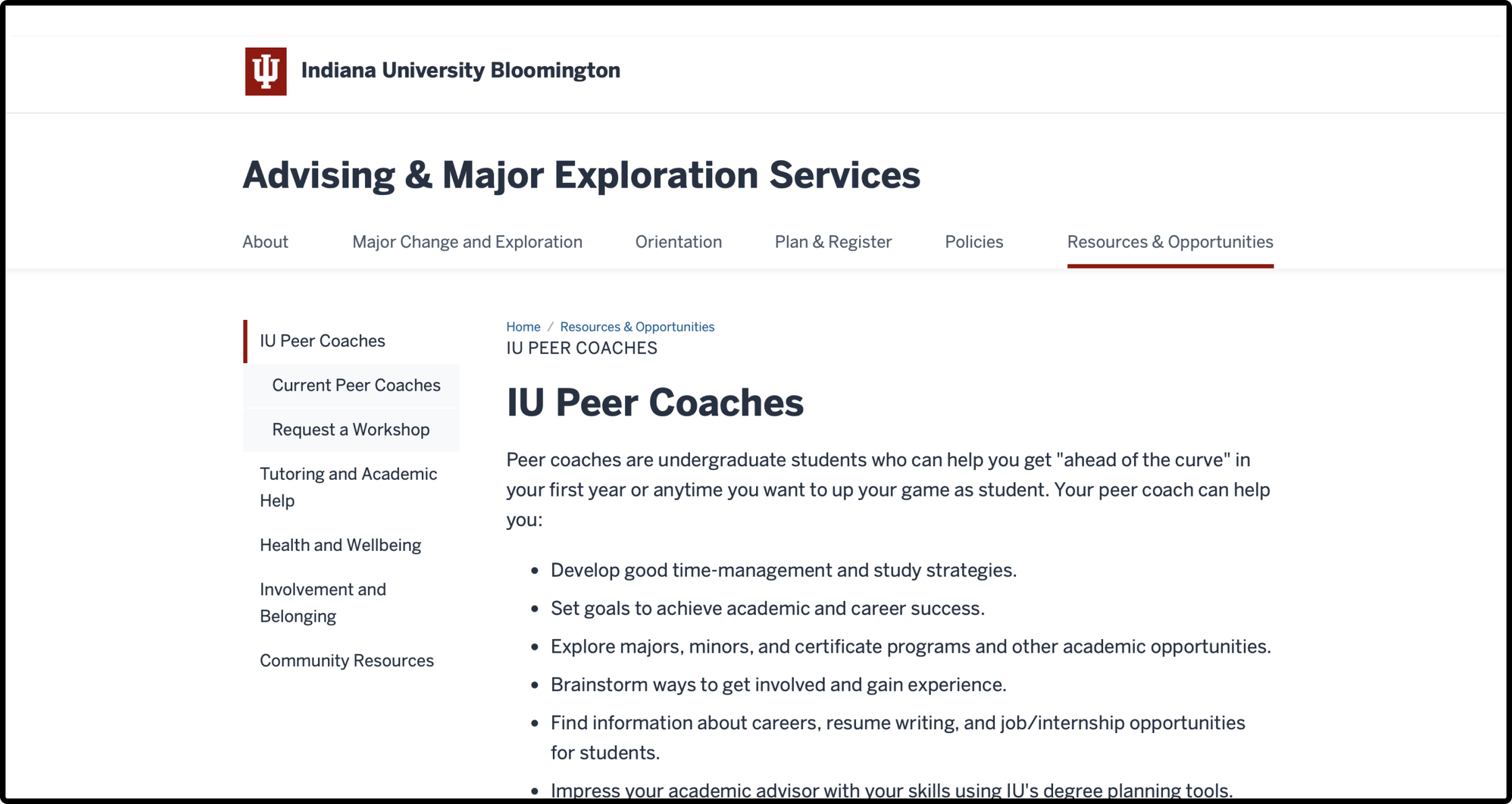
At Indiana University, I owned routine performance reporting and benchmarking for 35 university websites. One page stood out: the landing page for Peer Coach, a service from the undergraduate education office where trained undergraduates coach younger students on academics and careers. The page had an 85% bounce rate, and only 9.3% of visitors went on to the sign-up page. Because it draws heavy daily traffic, I prioritized it for deeper research.
Forming Hypotheses
Reading behavior data to see where visitors dropped off
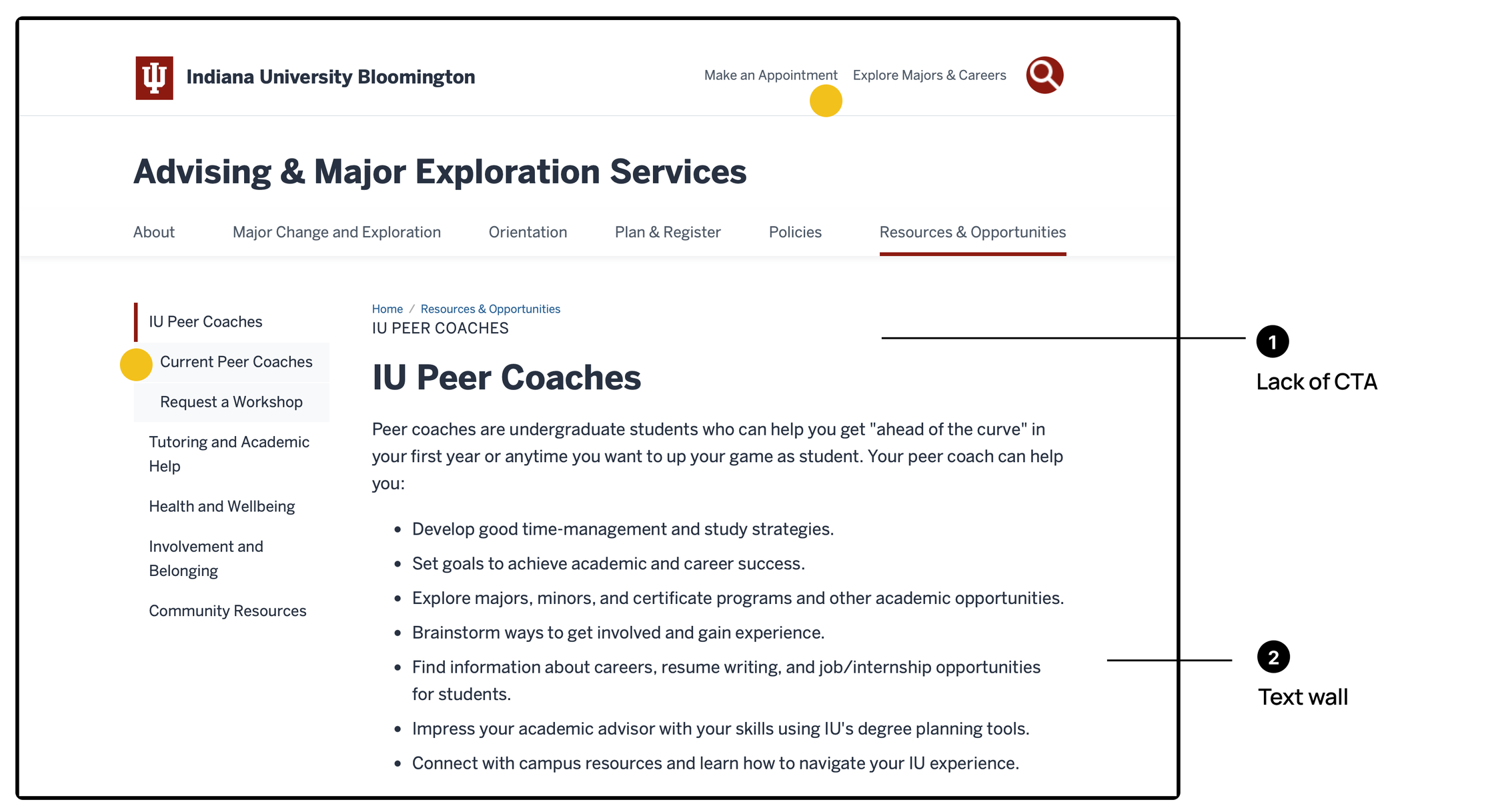
I started by building hypotheses from the site’s behavior data: heatmaps, click maps, traffic sources, site search queries and user journeys. A UX audit of the page alongside the heatmap flagged a wall of text, weak visual hierarchy, no clear call to action, key information hidden in accordions, and two different services sharing one page.
Traffic Source
58.2%
came directly and another 23.9% from the admissions website. Students arrived on purpose, so intent wasn’t the problem.
Next Step
Nearly 3× more visitors checked the coaches than tried to book. Students wanted to see who they’d meet first, and the workflow got in the way.
Scroll Depth
25.6%
average scroll depth. Most visitors never got past the top of the page, which suggested the content wasn’t answering their questions.
Choosing Methods
Moving to primary research to quickly validate the hypotheses
Research Question
Why were visitors leaving the landing page without signing up?
| User Interviews + Moderated Usability Testing | Survey | Unmoderated Usability Testing | |
|---|---|---|---|
| Time & cost | My office was in the library, so I could reach students on the spot |
Quick to send, but slow to collect enough responses |
Needs a testing platform and a paid participant panel |
| Generalizability | Small sample, but analytics already covered the broad patterns |
Large sample, results generalize |
Larger sample than moderated sessions |
| Depth of insight | Can watch real behavior and ask why in the moment |
Shows what, not why |
Shows behavior, but no follow-up questions |
Study Design
Recruiting on the spot and pairing interviews with a realistic task
Participants
- 8 undergraduate students
- Not working in the undergraduate education office
- Recruited on the spot in the library
- Every participant did both the interview and the test
Interview
- Do you need academic advice (choosing or changing a major) or career advice (finding internships, planning a career path)? What does that look like?
- What kind of help do you need most, and who do you think could help you?
Usability Test
Starting from the landing page, imagine your advisor just sent you this resource. Decide whether you would schedule an appointment, and think aloud as you go.
Key Insights
The sessions confirmed the hypotheses and surfaced two more problems
- 01Students want to see a coach’s profile before deciding to book.
- 02Students with academic needs and those with career needs are two distinct groups.
- 03Students can’t tell “Peer Academic Coaches” from “Career Peers,” or which one fits them.
Personas
Two groups of students, two different questions
Persona 1
The Major Explorer
First-year students admitted without a declared major, weighing which major to choose in their second year.
They want to know:
- How to explore their interests through courses and extracurriculars
- How seniors who chose or switched majors made their decision
Persona 2
The Career Planner
Students who have already declared a major and are looking ahead to life after college.
They want to know:
- How to find an internship
- What jobs their major can lead to
- How to explore different career paths
Design Decisions
Turning insights into two product changes
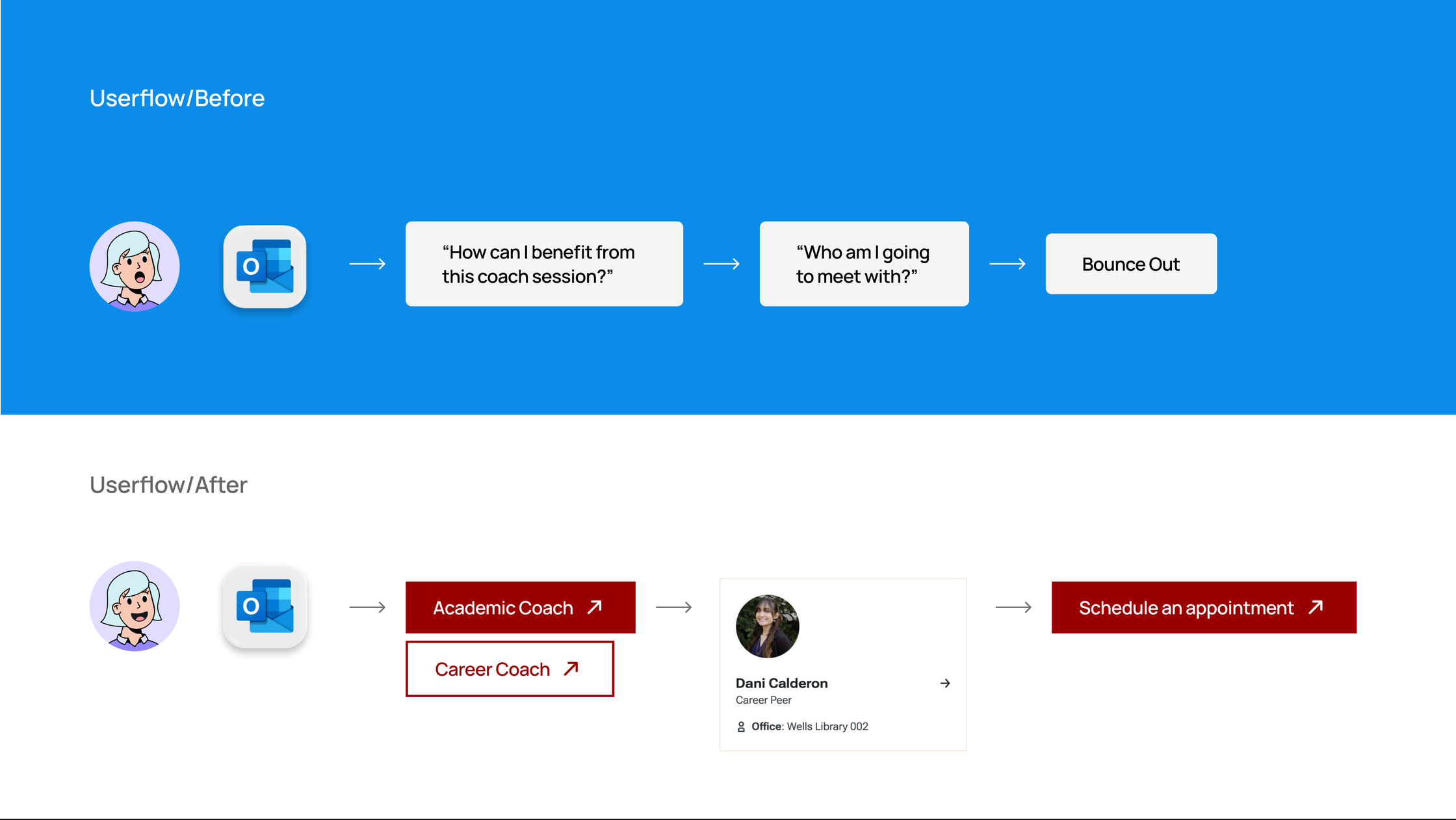
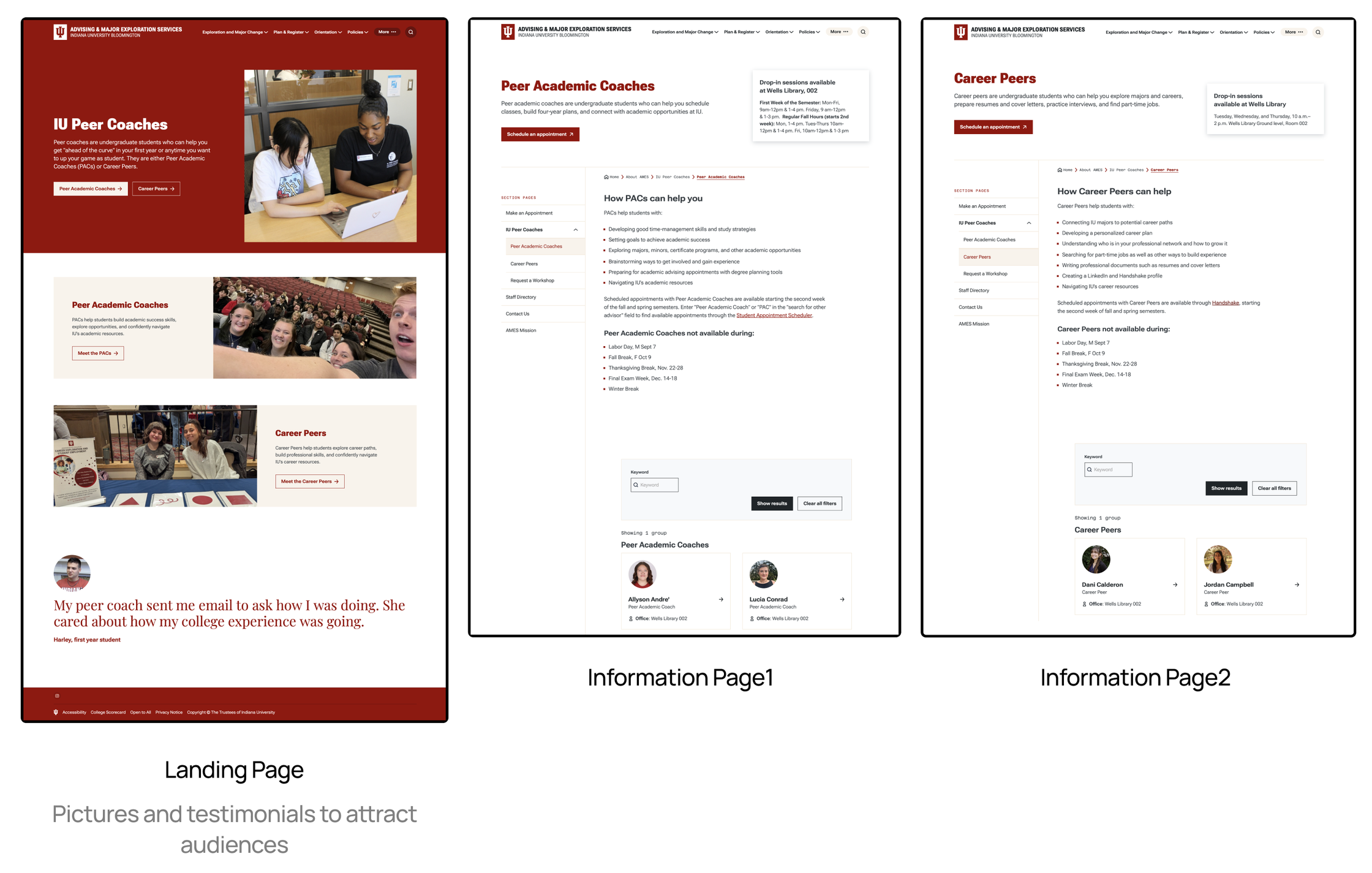
Brought coach profiles onto the page
Coach profiles used to live only inside the scheduling system. I partnered with the developer to embed them on the web page, so students could see who the coaches were, and get interested, before deciding to book.
Split academic and career into two journeys
Instead of one page for both services, the landing page now sends students down separate academic and career paths from the start. Each group sees content that matches its needs and no longer has to guess which coach to pick.
Alongside these, I added photos and student testimonials to the landing page, rewrote the content to answer the questions students actually asked, and cut the page from four screens of scrolling to two.
Impact
Sign-up Conversion
9.3% → 24.7%
Conversion from the landing page to sign-up more than doubled within a month of launch.
Bounce Rate
−10%
Fewer students left the landing page without taking a next step.
Task Success
80%+
In usability testing of the new design, more than 80% of students found the right coach and decided whether to book without help.
“Now I can see a peak in our coaching appointments after I send out an email. I’m happy that students are now making better use of the university resources.”
Coaching coordinator, stakeholder